Hello! I’m Renee, an actual human – this is NOT an AI generated article. I’m a university lecturer (at The Hague University of Applied Sciences) and AI Literacy trainer. In this series, I’m experimenting with Google Notebook LM. Have you tried it yet? You’ll need a Google account, and then can start here:
https://notebooklm.google.com/
I’ll walk you through some of the steps below, along with some of my thoughts along the way.
Disclaimer
Once I began, I received this disclaimer:

Free versus Paid
I’m trying out the free account, you can see the current feature comparison below.

Getting started
There’s quite a few options to get started. What I find a personal challenge, and no doubt one for most users is understanding and complying with the copyright issues whilst still getting use out of this tool.
You’re encouraged to …upload PDF etc….however very few people have PDFs that they themselves have created.
YouTube URL
After some thought I decided to experiment first with a YouTube URL. Then, I’m working directly with public material.
Yesterday I had a conversation with a researcher who did a presentation for the neurodiversity Foundation last year. I’d like to watch her video, but as a neurodivergent myself, I’m having trouble finding the time and focus to watch this half hour video. So, I’m going to try and absorb the essence better via Notebook LM. This may be useful as I can also check back in with the author to see if the output is correct.
I also am a volunteer with the Neurodiversity Foundation, as Education Ambassador working with the Research Fellows this year so perhaps this could be useful for other researchers.

Summary
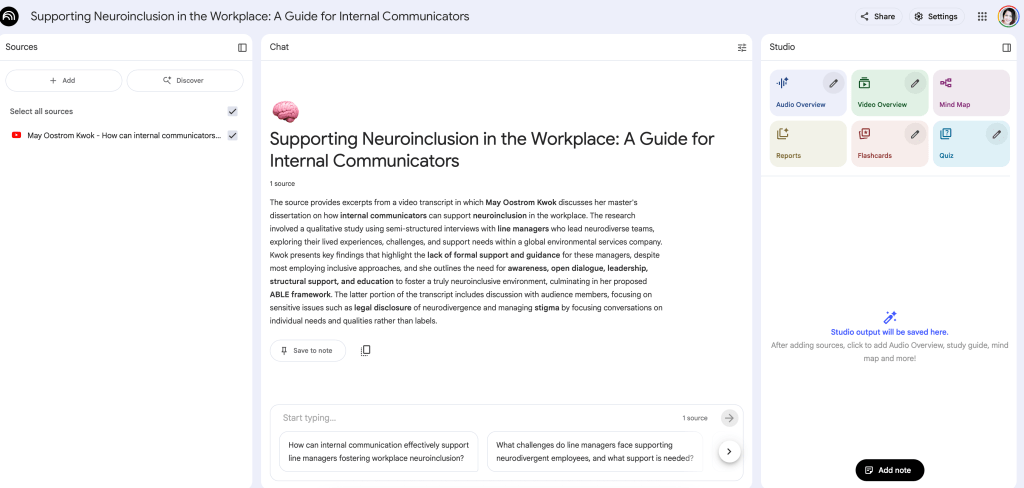
Below is the screenshot of what appeared after I posted the URL. On the left, it clearly shows the source, in the chat a summary, and on the right, further options of what I can do with the content:
- Audio Overview
- Video Overview
- Mind Map
- Reports
- Flashcards
- Quiz

Podcast
It took only a few minutes after I clicked on “audio overview” to have the AI podcast ready. The original YouTube video is 25 minutes long. So what doesn’t make much sense to me though is why would I listen to a 15 minute podcast about this instead of just watching/listening to the video.

Quiz
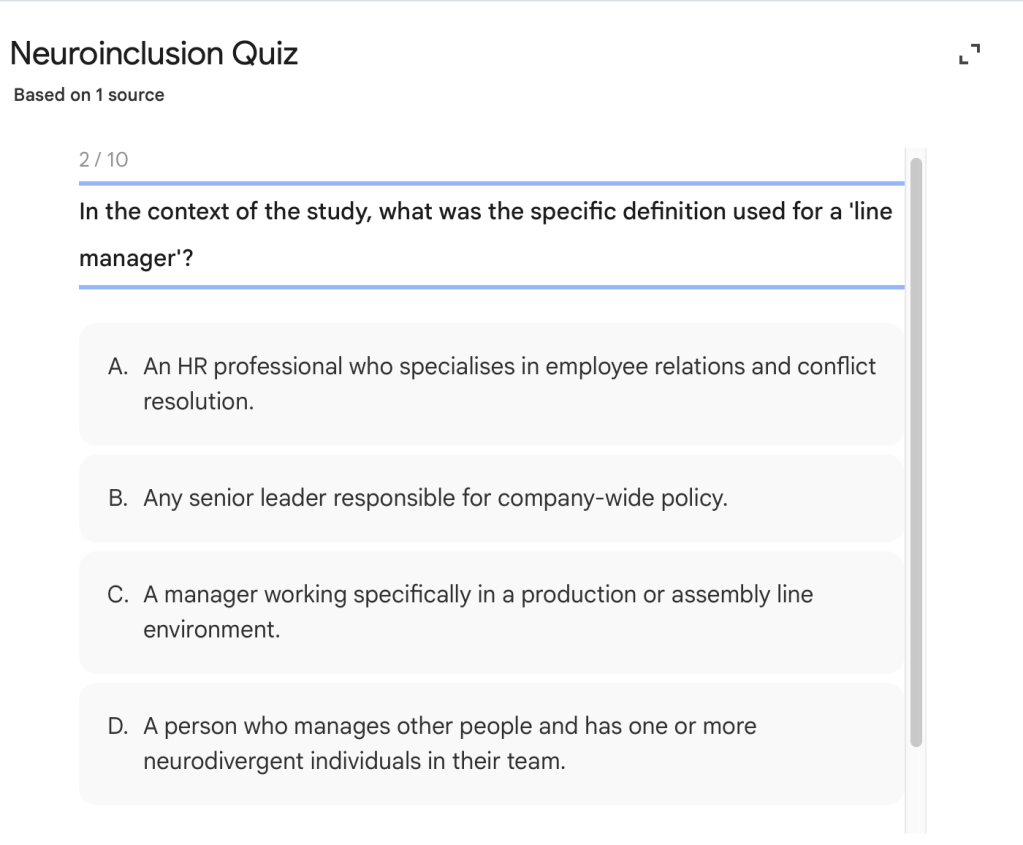
I found this feature really useful. I deliberately took this quiz before listening to the YouTube video or the podcast above. In only a few minutes, a 10 question multiple choice quiz was created.

When you choose the correct answer, you get an immediate green response – but I particularly like that it justifies this answer by linking back to the material.
When you choose the incorrect answer, as below, then you also get immediate feedback, framed positively (“not quite” instead of “wrong”), and again very relevant and useful bridging information.
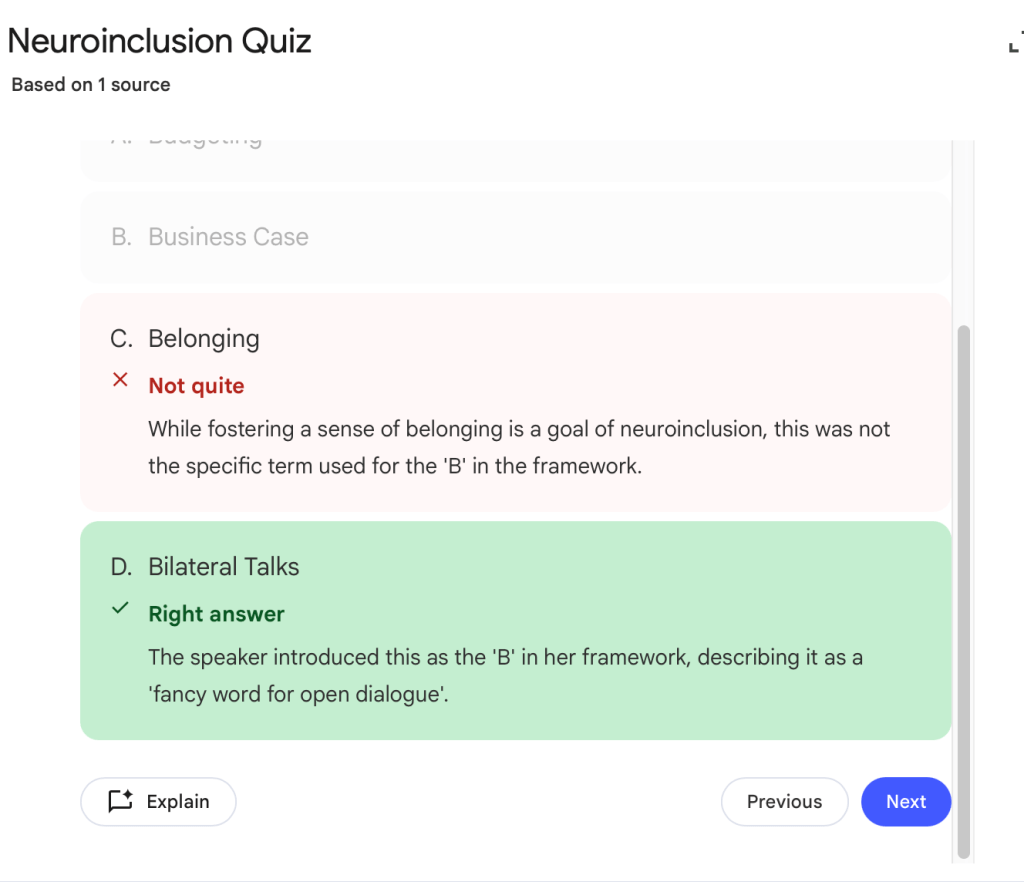
Beyond this brief feedback, you can also click on the “explain” button in the bottom left, which generates a prompt in the chat window and gives an even more detailed explanation.

In the example above, take a closer look and you’ll see the error, with the first sentence repeated twice. However the rest of the explanation is generally helpful.
At the end of the quiz, you can review or retake.

I managed to get 7/10 without watching the source material (yet) but do already have a strong knowledge of the topic of DEI/Neurodiversity. I found it a nice way to engage with the content though. As a lecturer, I’ve found it a huge challenge in the past to write multiple choice quizzes. Of course it’s easy enough to formulate a question based on source material and then to put the right answer into the quiz – but it’s coming up with reasonable alternative “wrong” answers that is really hard for a human. AI does it really well though. All of the 3 “wrong” options in these 10 questions made me think, they weren’t too crazy and relevant. So I’m quite impressed with this feature.
Source links
Something else to note is that it numbers the sources in the explanation, so you can hover on these, and it will show where it is referring to – in this case, all the reference numbers link back to the only one source, the transcript. So if the transcript is incorrect – the information will be too.

Flash Cards
Another variation from the same source is to generate flash cards. This took just a few minutes and was a way to process the information in another way.


Mind Map
A very interactive way to explore the material. As you click on each plus/arrow the mind map expands that section. I’d be keen to hear the researcher’s view of whether this is accurate.

Create Report

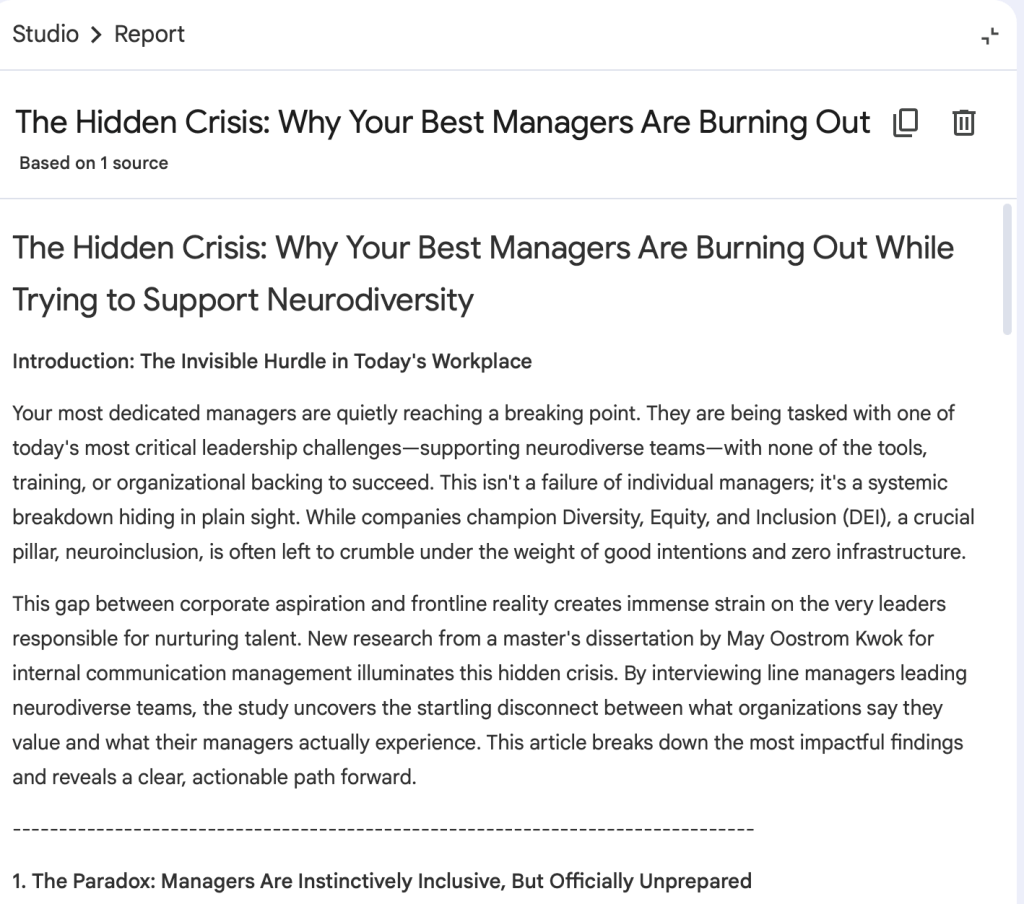
There are many options under this sub section, I asked for a Blog Post. Again, I’d need to check with the researcher and first become more familiar with the material myself but this looks pretty amazing actually. I run several websites and have written hundreds and hundreds of articles and blog posts over the last 15-20 years. The amount of time it takes me, compared to the quality of what I can produce, is where AI is getting incredibly competitive. I believe that’s another article I should write as a human! Meanwhile though, what is produced below is a really good draft that I would consider publishing. As a trained journalist, I would of course first fact check, which is where the human time and value comes in again.

What I like
It’s a very quick way to look at learning the same content in many different ways.
Good Content/Bad Content: the ability to give feedback, though exactly what is done with this I have no idea.
My concerns
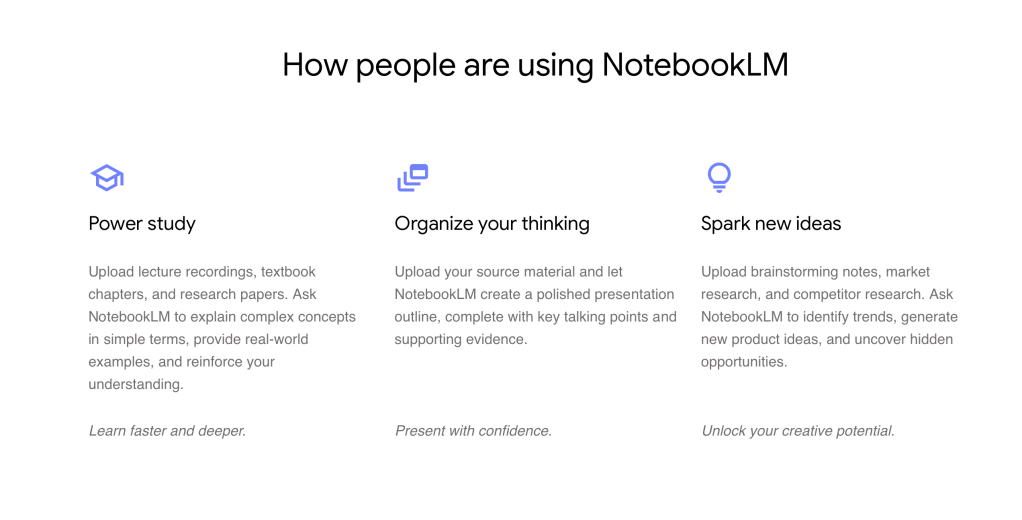
Copyright issues. The home page of their website says “How people are using NotebookLM…Upload lecture recordings, textbook chapters, and research papers.”
As a lecturer, this is a HUGE concern for me. If students record my lectures without my permission and put into this system, I would feel (it’s taking me a while to find the right words for the emotion…) – Horrified.
So what next?
I think to address these concerns, and leverage the benefits, we need to continue dialogue and work and teach in new ways. For example, once I get my head around this, I may be open to actually encouraging my students to record my lecture and use this tool, or even do that myself. I’m not ready for that yet though.
I do agree with this “what people are saying” section on their site” – this app is a demonstration of potential and glimpse into what’s possible in the future. We still need to co-collaborate with each other and AI first though to ensure that it’s done in an ethical way.

All screenshots in this article taken on 31 October 2025 from the Google Notebook LM webiste to support the commentary of this article.
This article was written by a human! Contact me via LinkedIn if you’d like to chat more about AI or take part in upcoming AI Literacy Training.
Renee
 Zestee